Boost Post vs. Ad Campaign: What’s the Difference?
At some point, almost every business owner managing their own social media has seen that little blue “Boost Post” button sitting underneath one of their Facebook or Instagram posts. It is hard to ignore. The promise feels simple. Pay a small amount, reach more people, done. And compared to logging into Ads Manager, setting up a campaign from scratch, and navigating a dashboard full of options most people have never seen before, clicking Boost feels like the easier path.
So a lot of businesses click it. They spend twenty, fifty, sometimes several hundred dollars boosting posts and then wonder why the results feel thin. The reach goes up, the likes might increase, but the phone is not ringing any more than it was before. Meanwhile, a competitor in San Jose or San Francisco running proper ad campaigns through Meta’s Ads Manager is generating real leads and actual sales from a similar budget. The difference is not luck. It is the gap between what a boosted post is designed to do and what a true ad campaign can be built to accomplish. Understanding that gap changes how you spend your paid social budget going forward.
What a Boosted Post Actually Is
A boosted post starts as organic content. It is something you already posted on your Facebook page or Instagram profile, and it existed before any money was involved. When you boost it, you are paying Meta to show that existing post to more people beyond your current followers. The targeting options are simple: you can choose a general audience based on location, age, and a handful of interest categories. You set a budget and a duration, and Meta distributes the post to the broader audience you selected.
The simplicity is both its appeal and its limitation. Boosting is designed for business owners who want more reach quickly without learning a complex advertising platform. That is a real use case. If a local restaurant in Palo Alto posts about a new weekend special and wants people nearby to see it, a boosted post can put that content in front of a wider local audience with minimal setup. The same applies for an event announcement, a product launch notification, or a post that is already getting good organic engagement and just needs more fuel behind it.
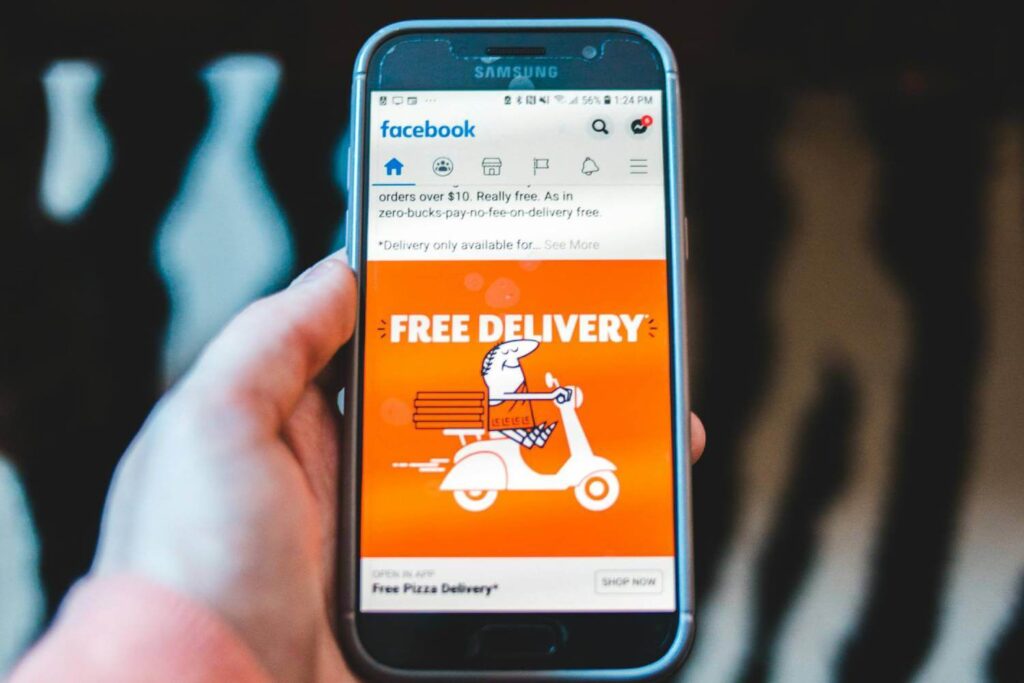
What boosting cannot do is give you the same level of control, targeting depth, or objective alignment that a full ad campaign provides. When you boost a post, Meta’s system defaults to optimizing for engagement, meaning it shows your post to people who are likely to like, comment, or share it. That might sounds good, but when it comes to reality, engagement and conversion are not the same thing. Someone who likes your post is not the same as someone who clicks through to your website, fills out a contact form, or makes a purchase. For businesses with specific marketing goals around lead generation or sales, optimizing for engagement is often optimizing for the wrong outcome.
What a Full Ad Campaign Can Do Differently
Running an ad campaign through Meta Ads Manager starts from a completely different place. Instead of promoting existing content, you build the campaign from scratch around a specific objective. Meta offers objectives across three categories: awareness, consideration, and conversion. The objective you choose shapes everything about how the campaign is structured and who the algorithm shows your ads to.
If you choose a conversion objective, Meta optimizes delivery toward people in your audience who are most likely to complete the action you defined, whether that is a purchase, a form submission, an app install, or another conversion event. The algorithm learns over time which users are converting and starts prioritizing people with similar behavior patterns. This kind of algorithmic learning does not happen with a boosted post because boosted posts do not have access to the same campaign objectives or optimization signals.
The targeting capabilities inside Ads Manager are also meaningfully deeper. Beyond the basic demographic and interest targeting available in the Boost interface, Ads Manager lets you build custom audiences from your website visitors using the Meta Pixel, your email subscriber list, people who have watched a specific percentage of your videos, or people who have interacted with your Instagram profile in the past. These audience types consistently outperform general interest targeting because they reach people who have already shown some connection to your brand.

Lookalike audiences, which let Meta find new users who share characteristics with your existing customers, are also only available through Ads Manager. For businesses trying to scale their digital marketing services or reach new customers in specific markets like San Francisco or the Bay Area, lookalike audiences are one of the most effective tools available for performance marketing solutions at a reasonable cost.
The creative flexibility in Ads Manager is another significant advantage. With a full campaign, you can run multiple ad variations simultaneously, test different headlines, images, and calls to action against each other, and let the data show you which combination produces the best results. You can run carousel ads, collection ads, video ads with specific formats, and lead generation ads that collect contact information without the user ever leaving the platform. A boosted post can only run in the format it was originally posted in.
The direct comparison of what each option offers are explained clearly here:
- Boosted posts: quick setup, basic targeting, engagement optimization, limited creative formats, no conversion tracking without additional setup
- Ad campaigns: full objective selection, deep audience targeting including custom and lookalike audiences, conversion optimization, multiple creative formats, detailed performance data and A/B testing
- Boosted posts work well for: amplifying content that is already performing well organically, raising awareness for local events or announcements, reaching more people in a specific geographic area with general content
- Ad campaigns work well for: generating leads, driving website traffic, increasing purchases, retargeting past visitors, scaling to new audiences, and any goal where a specific business outcome matters more than general reach
How to Decide Which One Your Business Actually Needs
The choice between boosting and running a proper campaign is really a question about what you want your money to accomplish. If the goal is visibility and brand awareness, getting more eyes on content that already exists, a boosted post can serve that purpose at low cost and low effort. It is not a waste of money in every situation. It is just the wrong tool when the goal is conversion.
For businesses with specific marketing goals tied to revenue, the math almost always favors building real campaigns through Ads Manager. The additional setup time pays off through better targeting, better optimization, and better data. A campaign built around a conversion objective with a custom audience, a strong landing page, and creative tested across multiple variations will almost always outperform the same budget spent boosting posts, because every part of it is working toward a defined outcome.
Many businesses use both strategically as per their needs. They run proper ad campaigns to drive lead generation, retarget website visitors, and reach new audiences through lookalike targeting. And separately, when a piece of organic content gets strong early engagement, they might boost it modestly to extend its reach. The key is knowing which tool is doing which job, rather than defaulting to the Boost button because it is easier to click.
One common mistake is boosting posts that were never designed to work as ads. A casual behind-the-scenes photo or a community appreciation post might be great organic content that builds connection with your existing followers, but putting ad spend behind it rarely generates meaningful returns. Content worth boosting is content that is clearly focused on a specific audience, has a clear message, and gives viewers a reason to take an action. If the post does not have those qualities in its organic form, boosting it will not add them.
ViewRanking Digital Marketing Agency works with businesses across San Francisco, Palo Alto, and San Jose to build paid social strategies that use the right tools for the right goals. Whether that means building full conversion campaigns in Ads Manager, supporting organic content with strategic boosts, or connecting paid social to a broader digital marketing strategy that includes SEO, Google My Business, and social media management, the approach is always shaped by what the business is actually trying to achieve.
The Boost button is not as bad as we might think. It’s just limited with only few functionality that might not be effective for many businesses that wants to grow their social media presence or brand value. For businesses serious about getting real results from their paid social budget, learning to use Ads Manager properly is one of the highest-return investments of time available in digital marketing today. The controls it gives you, over audience, objective, creative, placement, and optimization, are exactly what separates campaigns that generate leads and sales from ones that generate likes and nothing else.